CASE Study
Custom accounting workflow system
Designed a custom workflow system for a UK accounting firm to reduce manual invoice processing and human error.
The solution combined OCR/ML-assisted document processing with human review, while translating complex accounting workflows into a usable digital system.
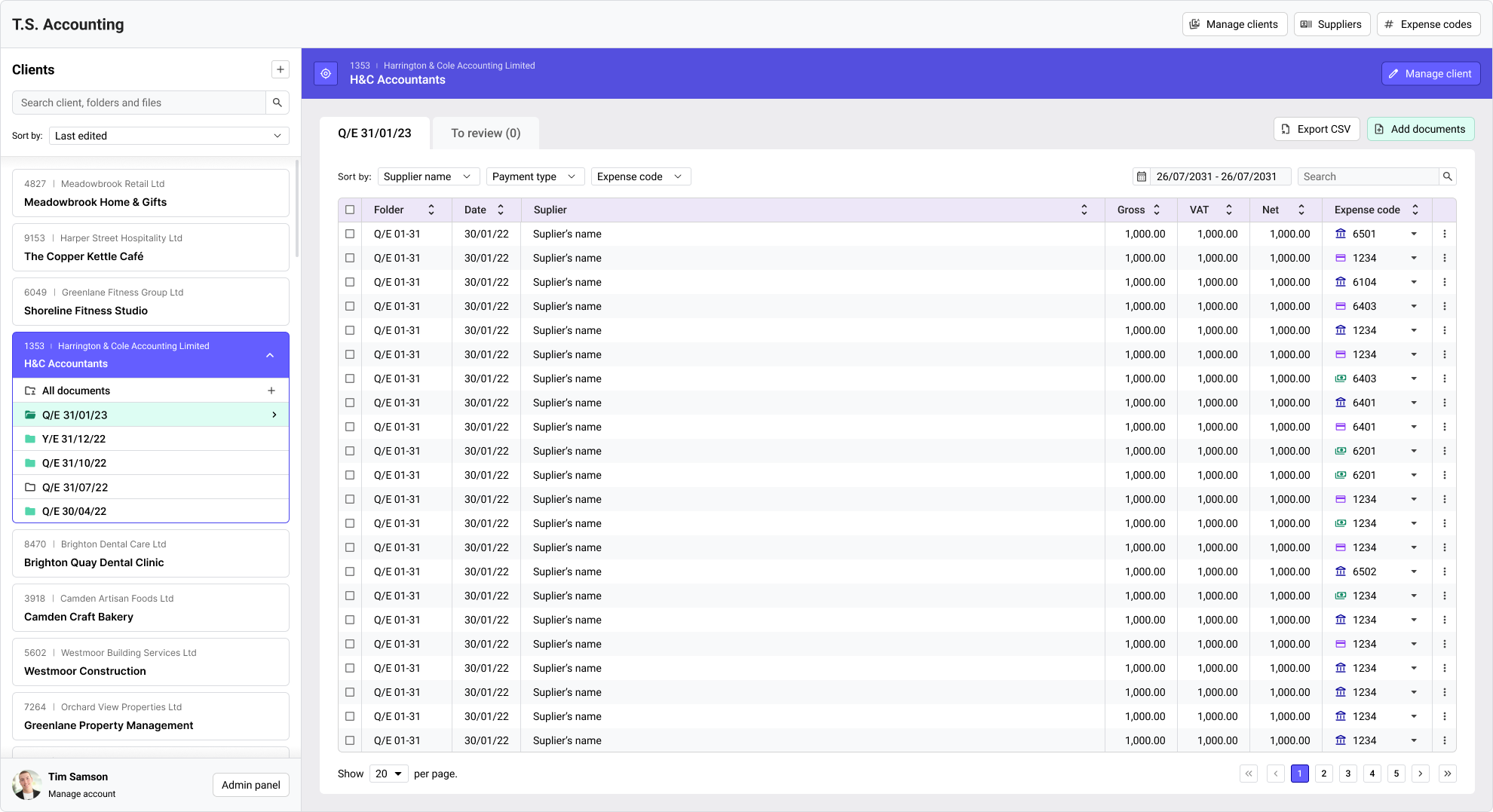
Note: Selected workflow screens, recreated for this case study from the original interaction design. Implementation demo available on request.
My role
- Product Designer
- Led discovery and scope definition
- Designed the information architecture and key workflows
- Created prototypes and developer documentation
- Managed project coordination between the client and developer
Context and problem
A UK accounting firm wanted to reduce manual invoice and receipt processing and lower the risk of human error, without disrupting the accounting practices staff already relied on.
Project goal
Design a workflow system to reduce manual document processing and human error, while preserving familiar accounting practices and supporting future automation.
Constraints
Variable document formats
Invoices and receipts used inconsistent layouts, so OCR results had to remain easy to review and correct.
Established accounting model
Existing financial periods and folder structures needed to be preserved rather than reinvented.
Operational reliability
Large record volumes and sensitive financial data required fast navigation, clear system states, and editable extracted values.
Discovery and scope definition
I worked directly with the accounting company owner to understand their existing process, data structure, and expectations for automation.
We started with a Blue Sky version of the solution, then narrowed the scope around budget, technical feasibility, and day-to-day workflows.
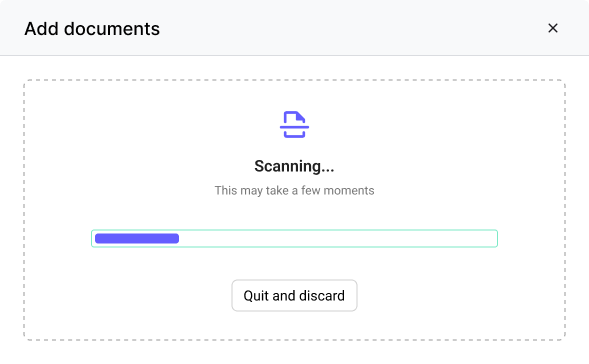
Two assumptions changed during discovery. The product was initially planned for local deployment, but remote work required shared access, so we moved toward a cloud-based solution. OCR/ML also could not reliably determine every value, so human review became part of the core workflow.
The client’s existing folder structure and spreadsheet specification helped anchor the information architecture in a model staff already understood.
Tradeoff: lower upfront cost vs. staff effort
To stay within budget, the client chose to train the OCR/ML system through day-to-day use rather than outsource data preparation. This meant staff had to review uncertain results and correct fields, creating more manual work initially in exchange for lower upfront cost and the potential for increased automation over time.
Collaboration
During the project I worked directly with the accounting firm owner and a full-stack developer.
- Translated business requirements into clear product and technical requirements
- Worked with the developer to scope functionality and resolve technical constraints
Design decisions
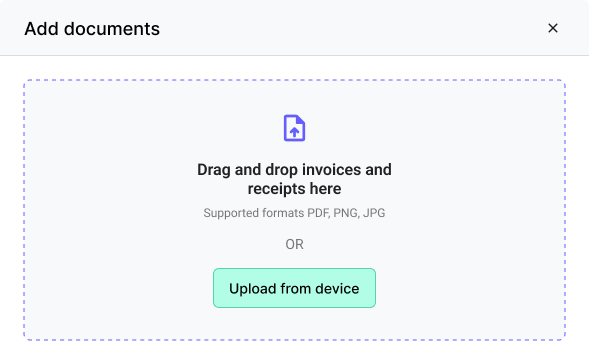
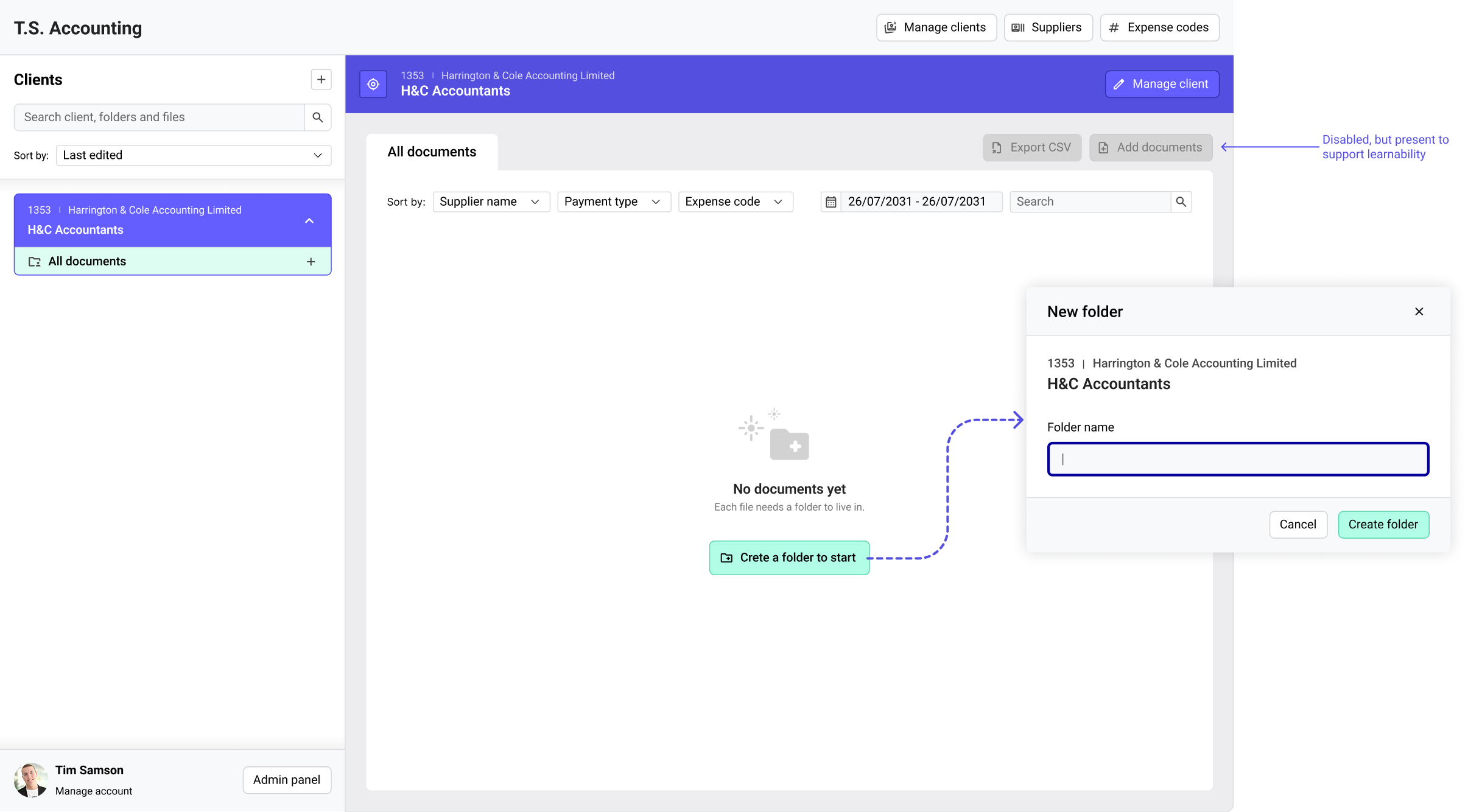
Using empty states as workflow guidance
The system required users to review documents across multiple accounting periods while maintaining the rule that every document belongs to a specific folder.
Rather than treating empty states as placeholders, they became guidance points that helped users understand the next valid action without breaking the accounting workflow.


Making workflow status scannable
Accounting staff frequently switched between clients and accounting periods while processing large volumes of documents.
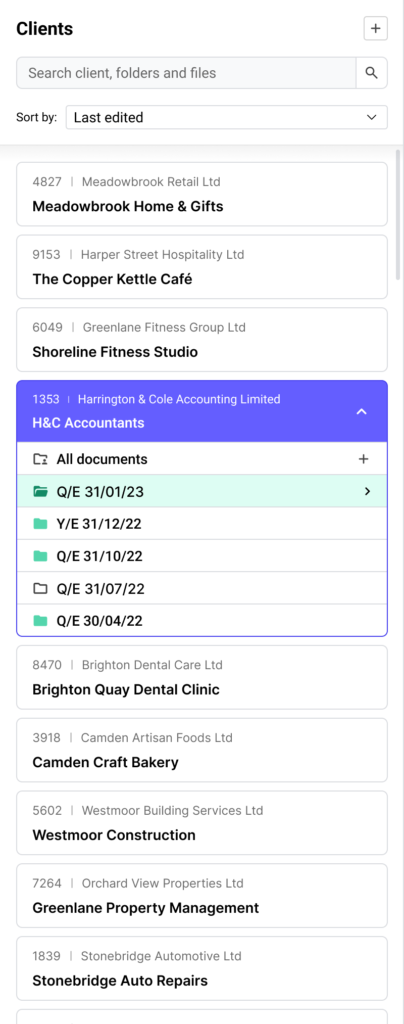
To reduce unnecessary navigation, folders communicate both their contents and current state at a glance.
Visual states distinguish:
- Empty folders
- Active empty folders
- Populated folders
- Active populated folders
This enables users to quickly identify where work is required without opening every folder individually. Folder states are communicated through both icons and color, ensuring they remain distinguishable without relying on color alone.
Reducing complexity in expense coding
Expense codes are one of the most frequently referenced pieces of information during document processing.
To speed up recognition and reduce classification errors, payment types were reinforced with visual cues while preserving existing accounting terminology.
This improved scanability without requiring users to learn a new coding system.

System thinking
The product’s information architecture reflected the accounting firm’s real operational model rather than imposing a generic software structure.
Elements needed to remain distinct while still feeling like one coherent system. The focus was on reducing cognitive load while preserving strict business rules and enabling future workflow automation.
The model defined relationships between:
- Clients
- Accounting periods
- Documents
- Suppliers
- Expense codes
- User roles and permissions
- Workflow states
Outcome
The design, prototype and working software were handed over to the client. The client estimated the proposed workflow could reduce manual workload by around 70%, but I did not have access to reliable post-handover usage data, so this impact was not validated.
The project reinforced the importance of designing automation around uncertainty rather than assuming it can eliminate human review.